Learn from anything. Keep what matters.

Share a video, a post or an article and get a study note with the key words highlighted and the diagram drawn. Then plan your day and put the phone down.

Free, no ads. Works in English and বাংলা.

The whole app in 70 seconds. Turn the sound on.

A day with Denominator

Here is everything the app does, in the order you'd meet it on a normal day.

7:30 am

Your day, already summed up

Open the app and a short brief types itself out: a good-morning with your name, a line about how full the day looks, and a quote picked for that kind of day. Under it sits your whole day in one card.

  • Top 3: the three things that matter most today.
  • Your schedule, with Google Calendar events in the same list.
  • Tick a task and hear a soft chime. Yesterday's unfinished tasks wait in one tap-to-move card.
  • Plan tomorrow in three minutes each night, with a reminder at a time you choose.
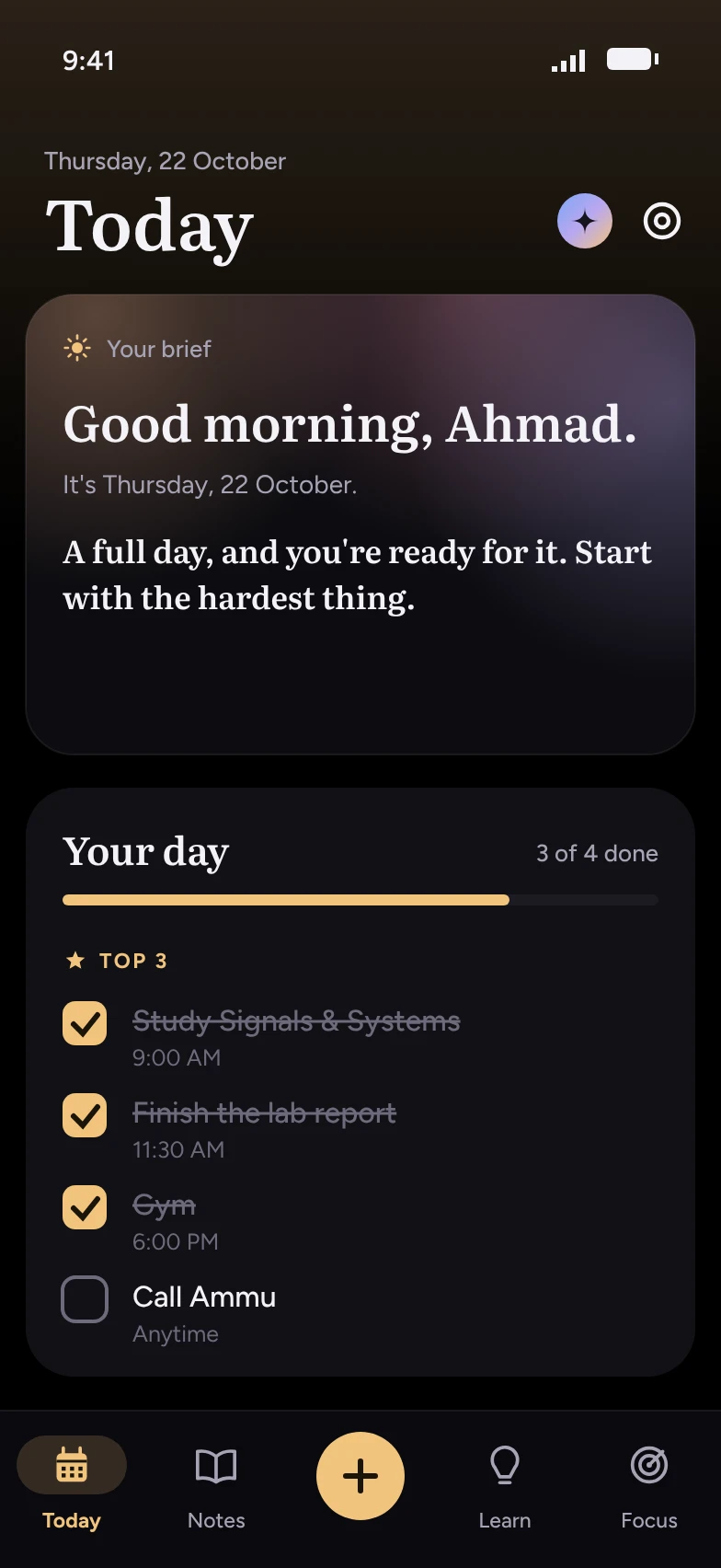
The Today screen: a morning brief greeting Ahmad, and a Your day card with three ticked Top 3 tasks.
10:00 am

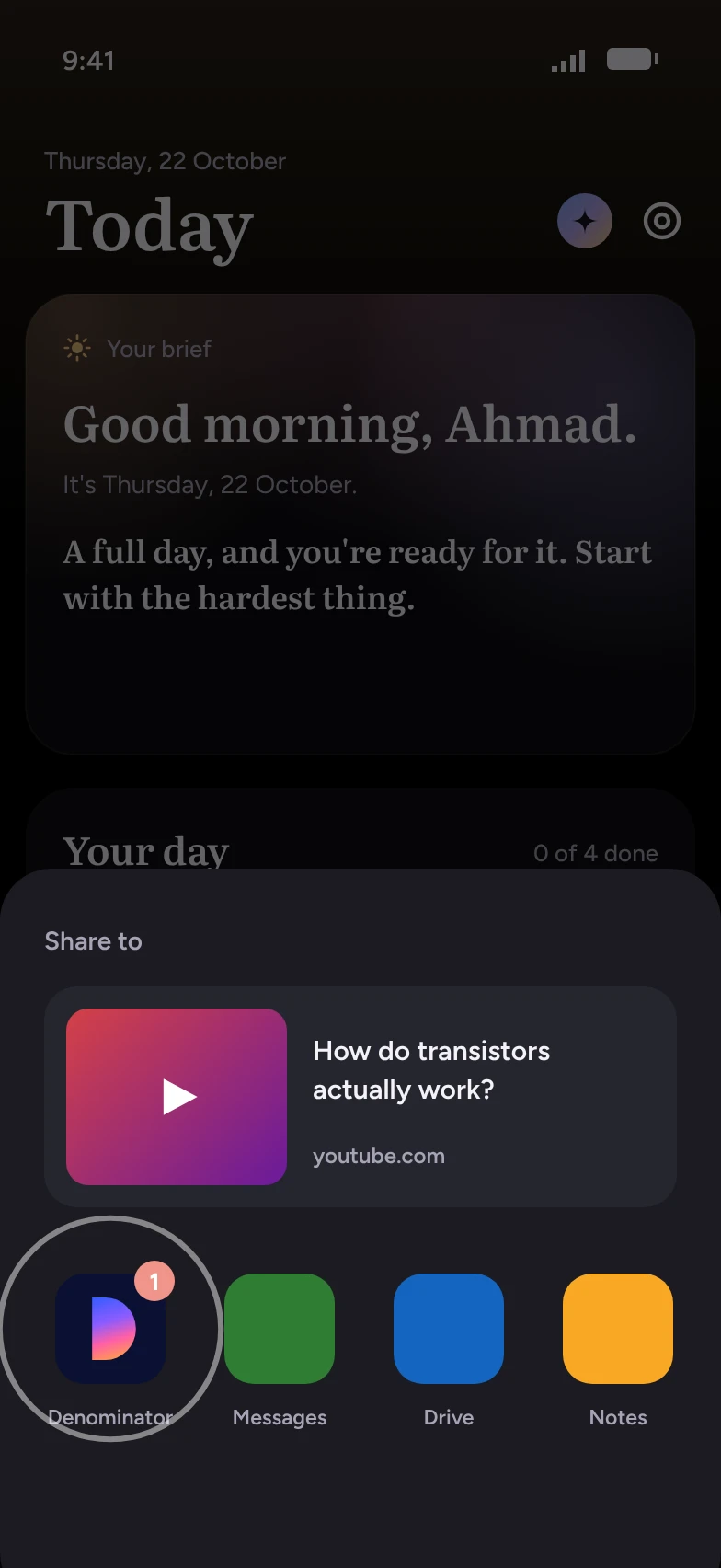
Share anything you learn from

Watching a lecture on YouTube, reading a Facebook post or an article? Tap Share, then Denominator. That's the whole step. The AI reads it and writes a study note while you carry on.

  • YouTube videos, Facebook posts, web articles, photos and screenshots, or text you paste.
  • Notes come out in the source's language, in English, or in Bangla. Switch any note later.
  • Your own notes too: type something in your own words and give it a date.
YouTubeFacebookArticlesPhotosScreenshots
Android's share menu with a YouTube video about transistors, and Denominator as the first app to share to.
10:01 am

Notes you can see

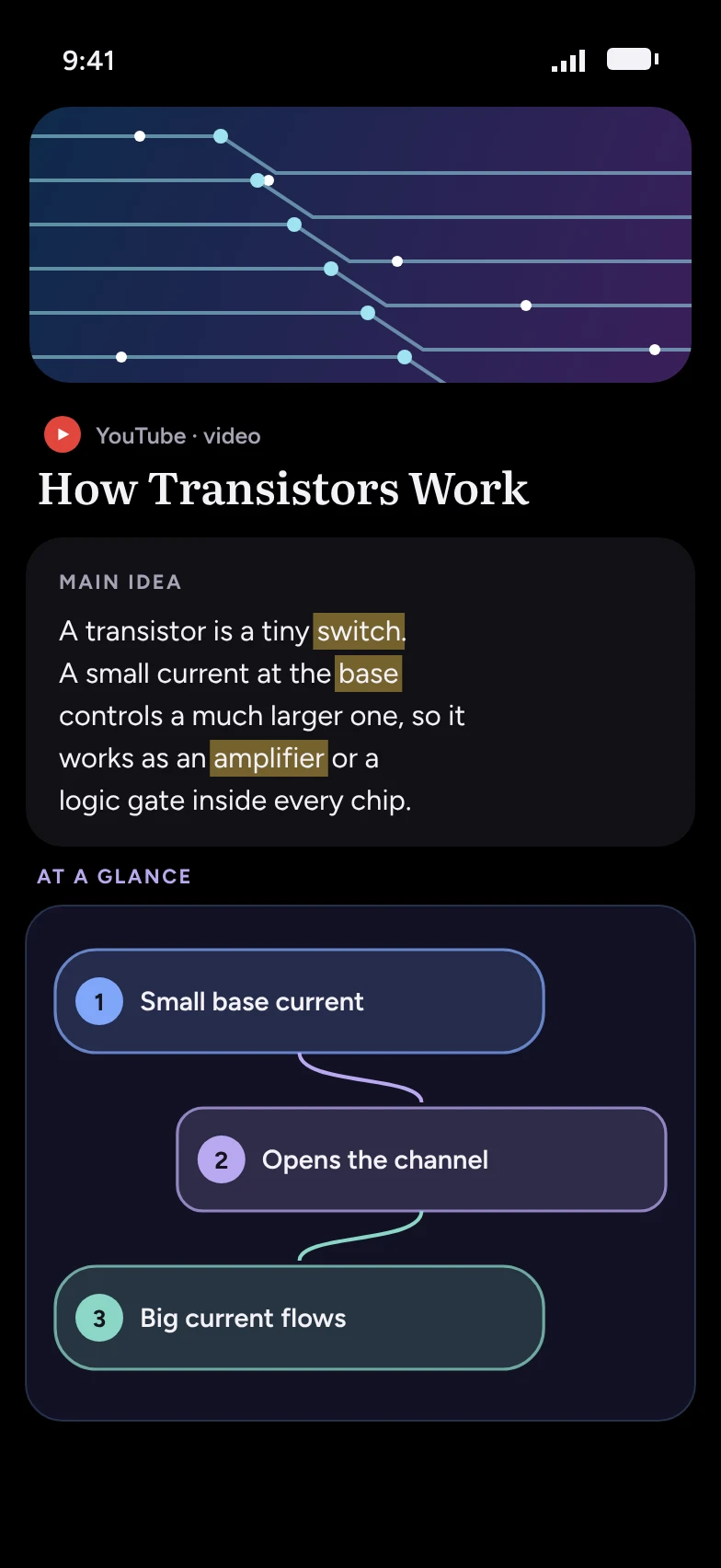
Every note opens with the main idea, with the key words marked like a highlighter pen. Then comes a picture of the idea, drawn for you from what you shared.

  • Flowcharts for steps and processes.
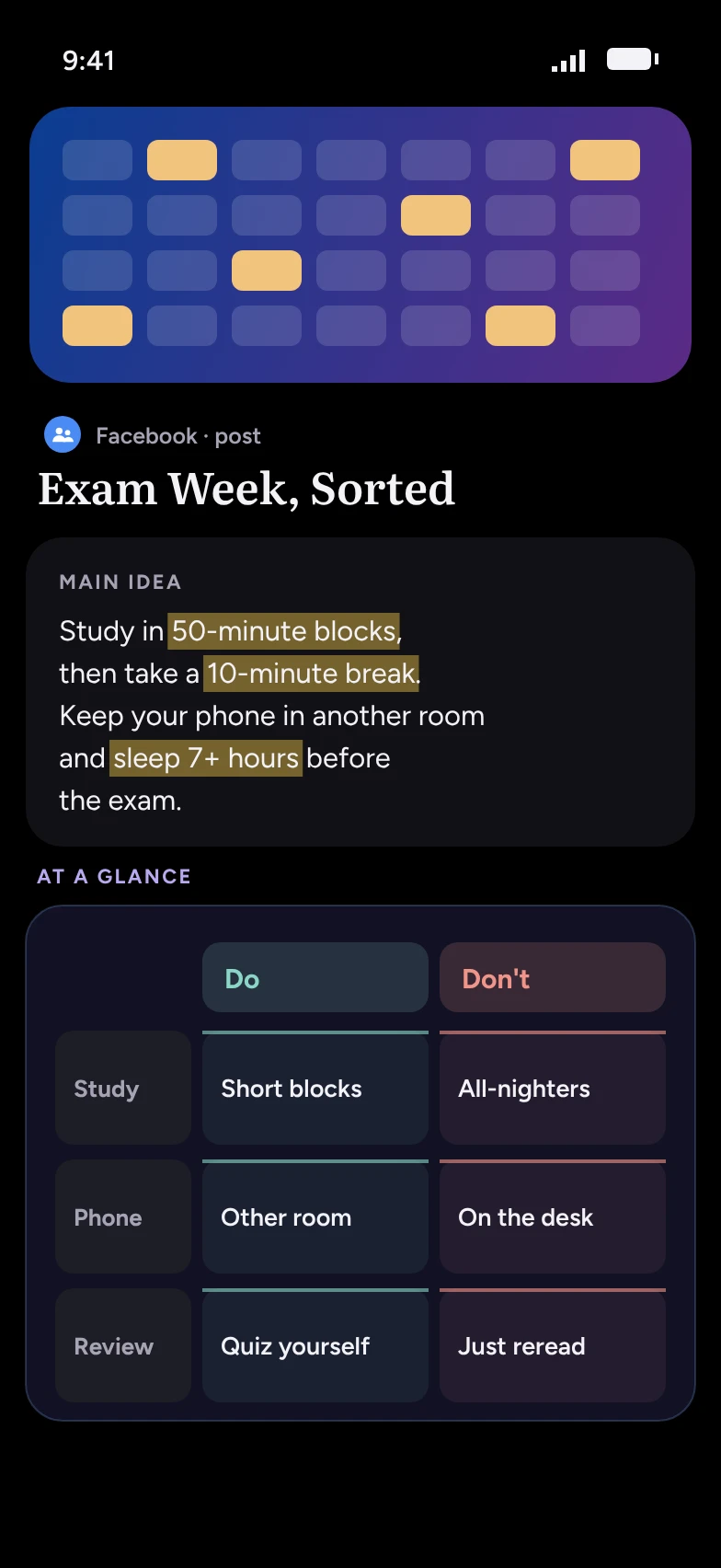
  • Comparison tables for "this vs that".
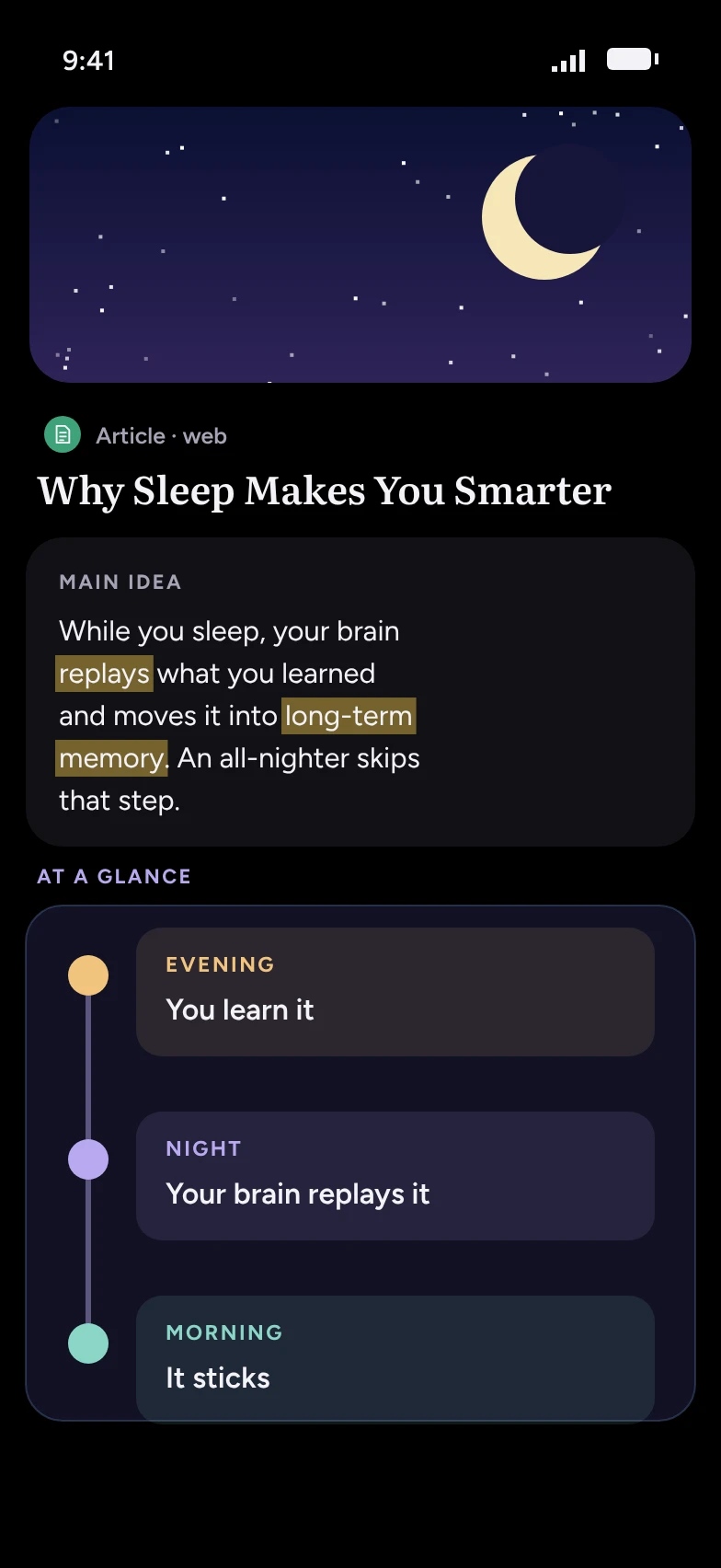
  • Timelines and bar charts when the source has dates or numbers.
  • Notes sort themselves into groups (study, faith, health, money and more), or into groups you name yourself.
A note from a YouTube video with highlighted words and a three-step flowchart.
A note from a Facebook post with a Do and Don't comparison table.
A note from an article with an evening, night and morning timeline.
1:00 pm

Plan it with Claude or ChatGPT

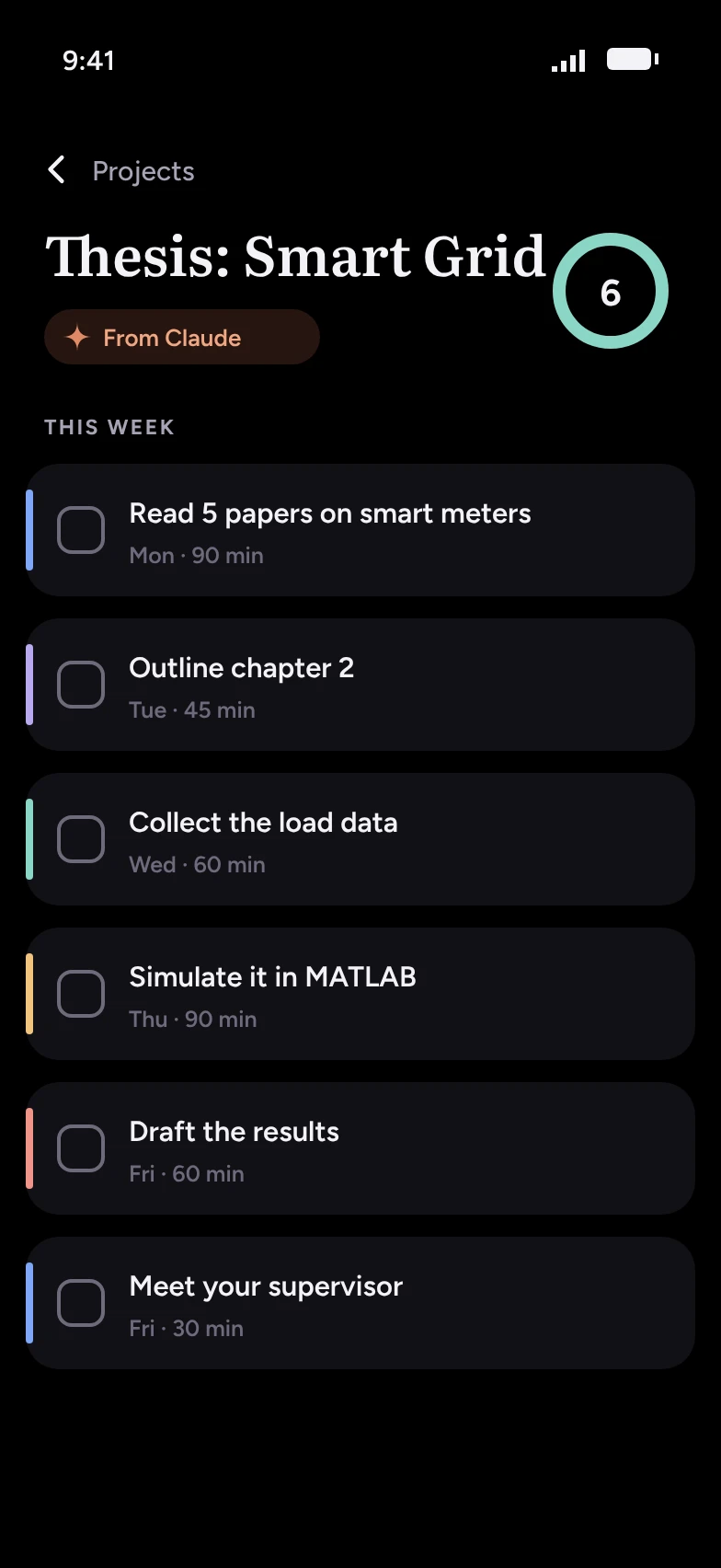
Already plan with an AI chat? Connect it once and it can work inside Denominator. Ask it to break your thesis into tasks and they land in Projects. Ask for a revision plan and it fills your Today.

  • Works with Claude (free plan) and ChatGPT, plus other AIs that support connectors.
  • It can read your day, add and update tasks, save projects, search your notes and set app limits.
  • You make the link from your Account page and can switch it off any time.
A project called Thesis: Smart Grid with six tasks, marked From Claude.
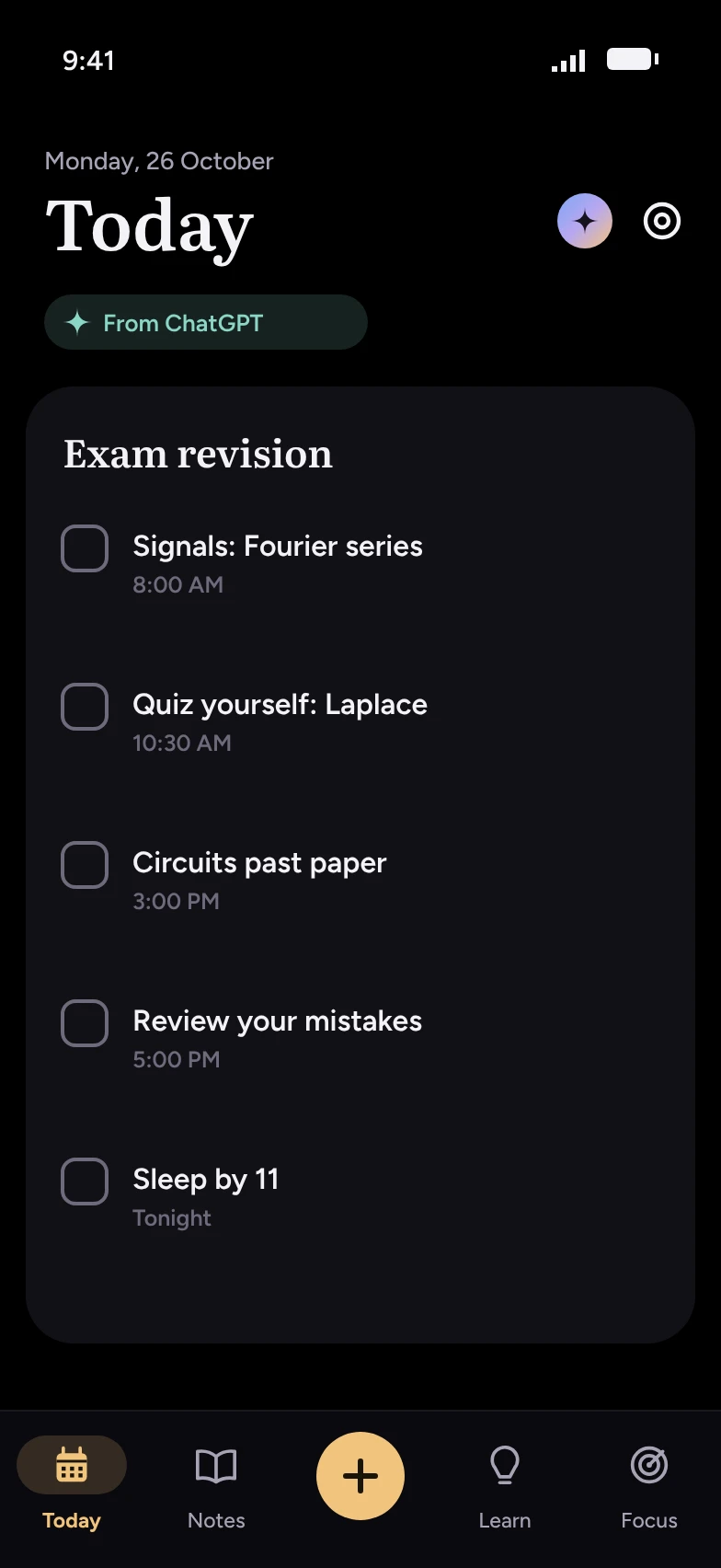
Today filled with an exam revision plan, marked From ChatGPT.
4:00 pm

It comes back before you forget

Most of what we read is gone in a week. Denominator brings each saved note back 1, 3, 7, 16 and 35 days later, with a short line to jog your memory. Never more than one a day.

  • Tap the notification and the note opens.
  • Pick the time of day that suits you, or turn them off.
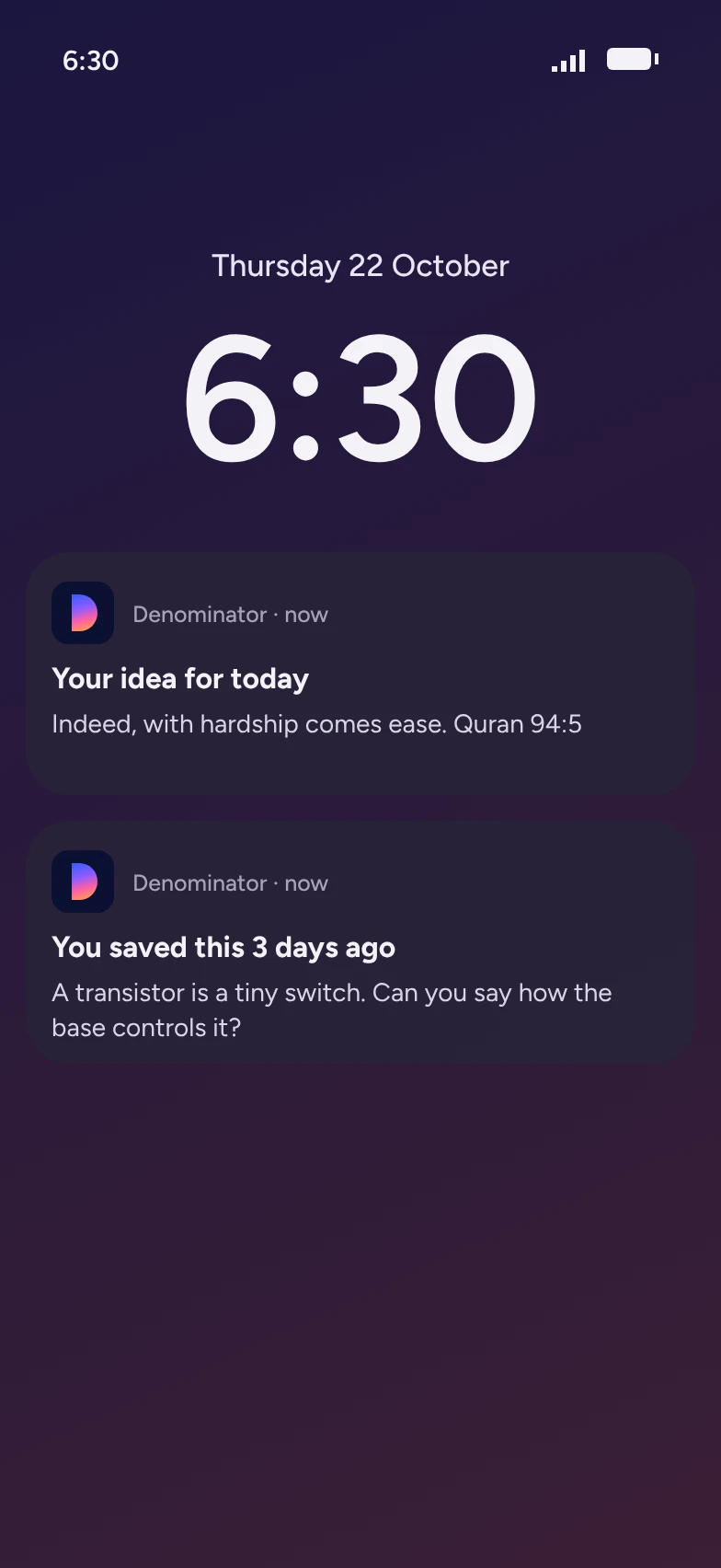
The lock screen at 6:30 with two Denominator notifications: You saved this 3 days ago, and Your idea for today.
6:00 pm

A breath before the scroll

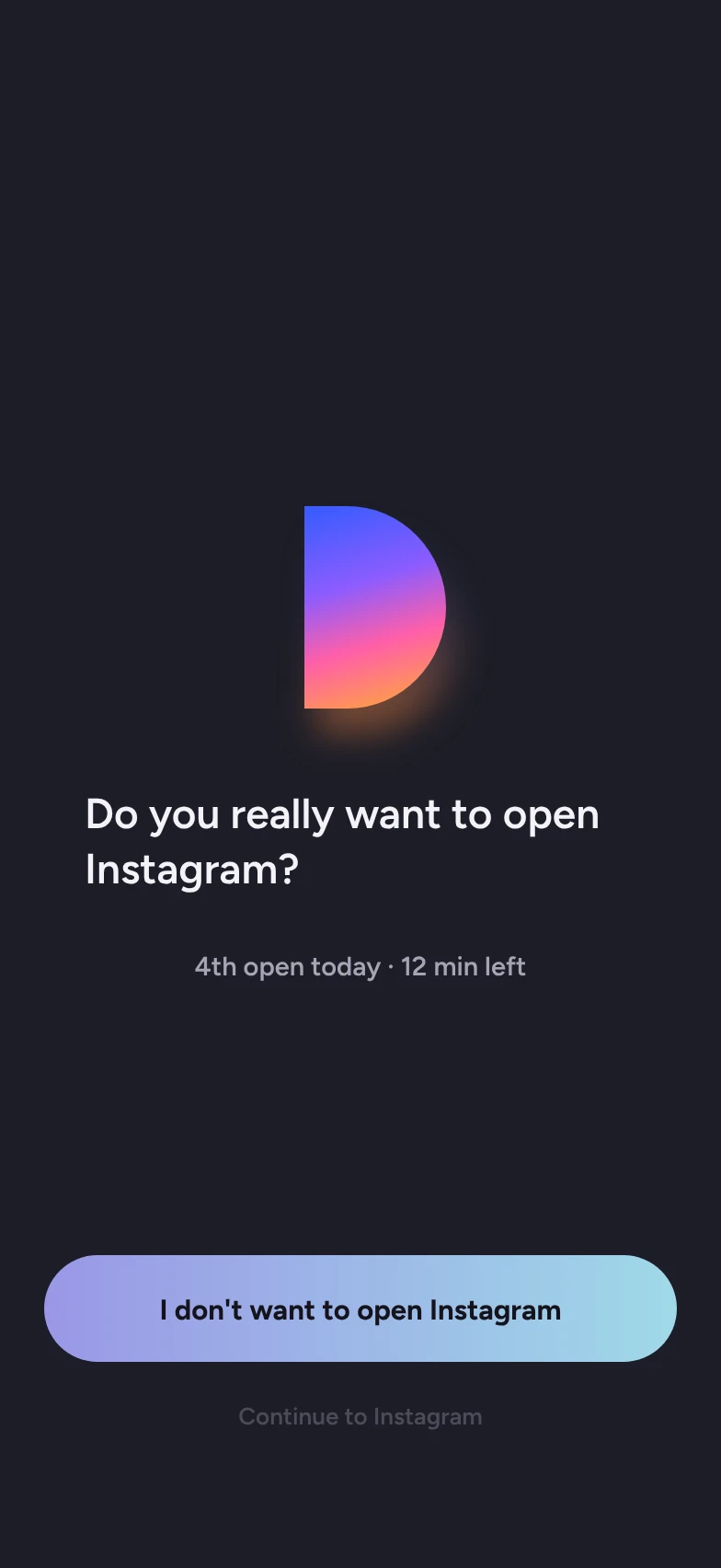
Pick the apps that eat your time and give each a daily limit. When you open one, Denominator steps in first with a short breathing screen, then asks if you still want to go in.

  • Breathe in, hold, breathe out, with the screen filling and emptying in time.
  • See how many times you've opened it today and how many minutes are left.
  • Focus hours block the apps completely while you study.
  • Step-by-step fixes for Xiaomi, Oppo, Vivo, Samsung and others, which tend to stop apps running in the background.
The pause screen asking you to take a deep breath while the screen fills with lavender.
After the breath: Do you really want to open Instagram? with a button saying I don't want to open Instagram.
8:00 pm

Just ask

The assistant knows your day and your notes. Talk to it like a person, in English or Bangla, and it does the work instead of only answering.

  • "Plan my day around my classes."
  • "Quiz me on my transistor note."
  • "Limit YouTube to 30 minutes a day."
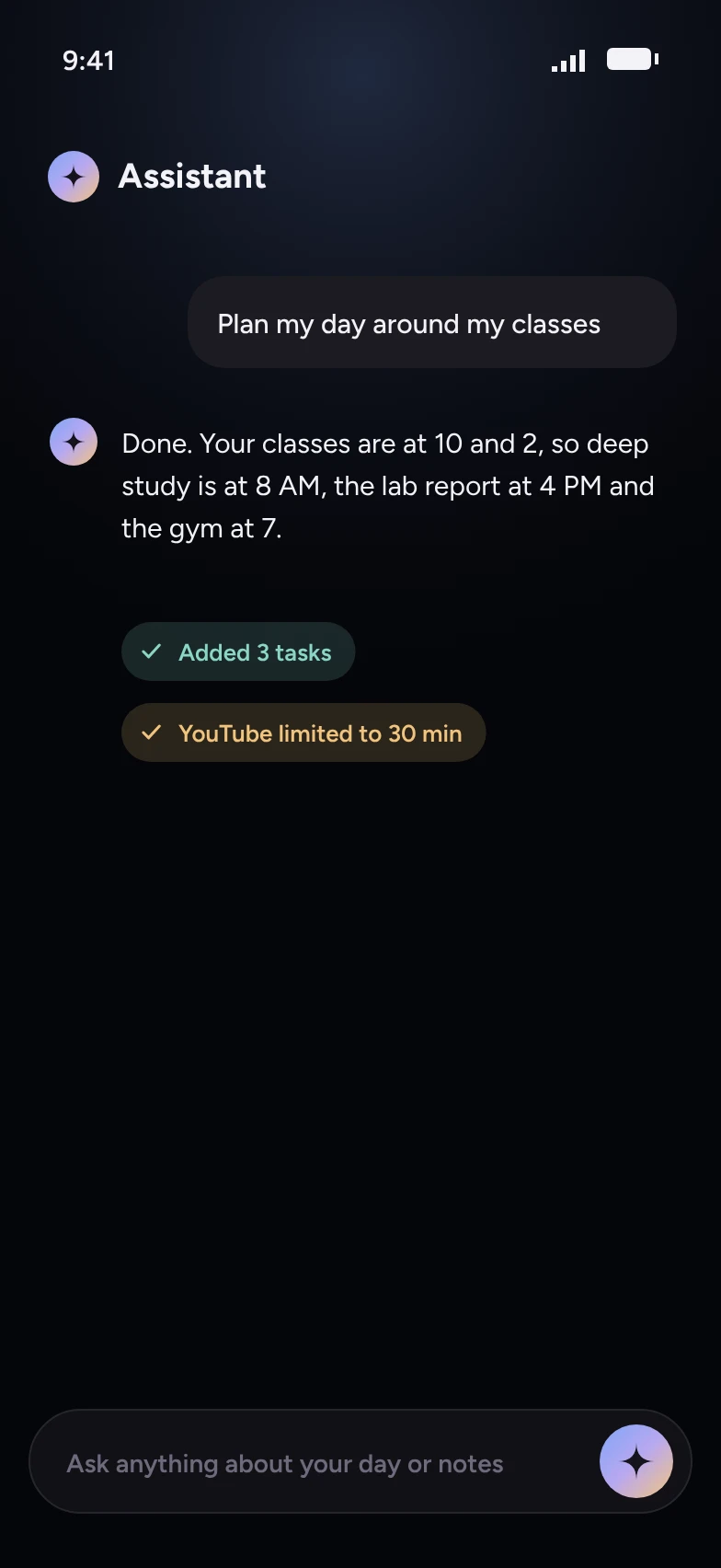
The assistant replying to Plan my day around my classes, with chips saying Added 3 tasks and YouTube limited to 30 min.
10:00 pm

Ideas worth keeping

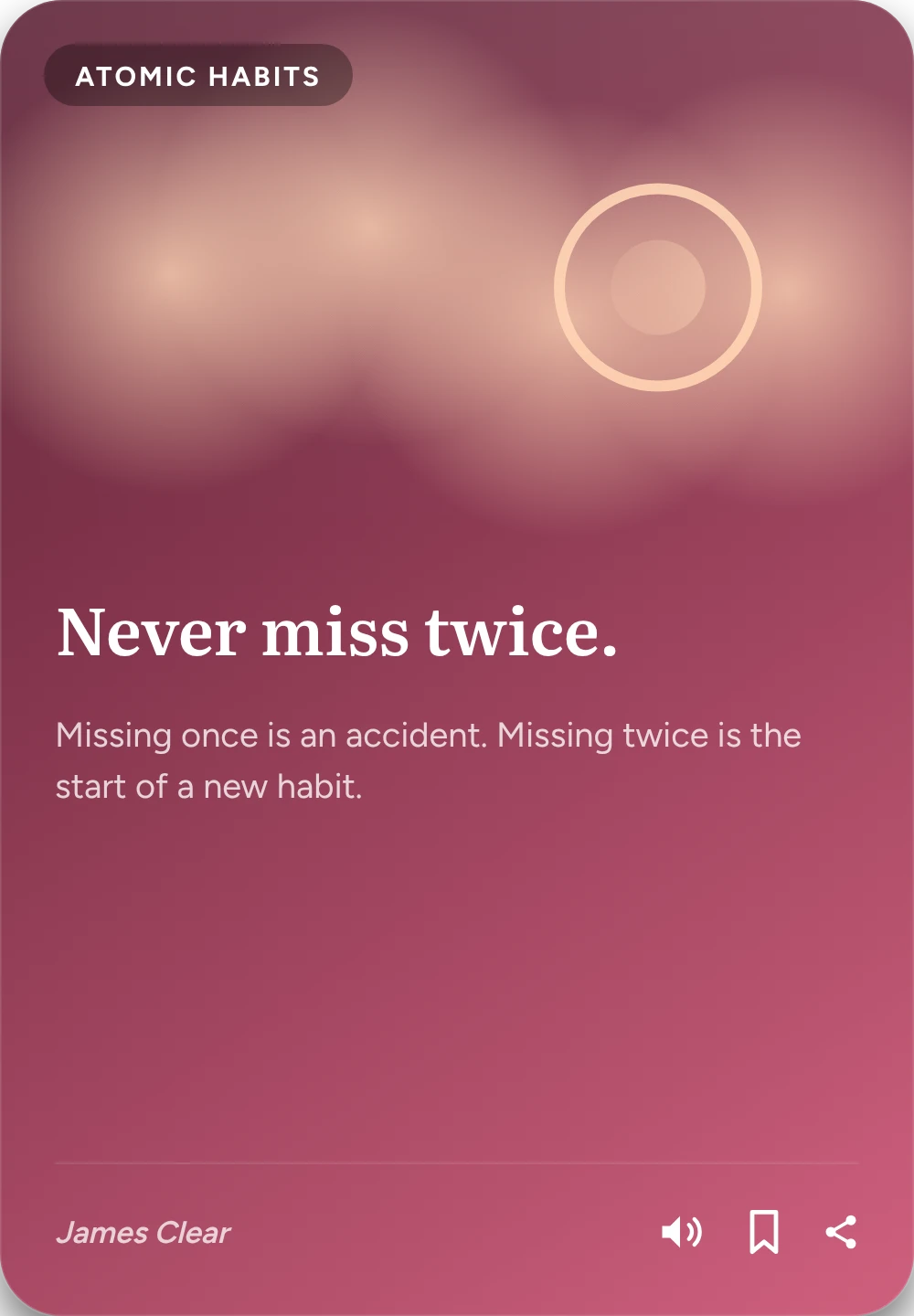
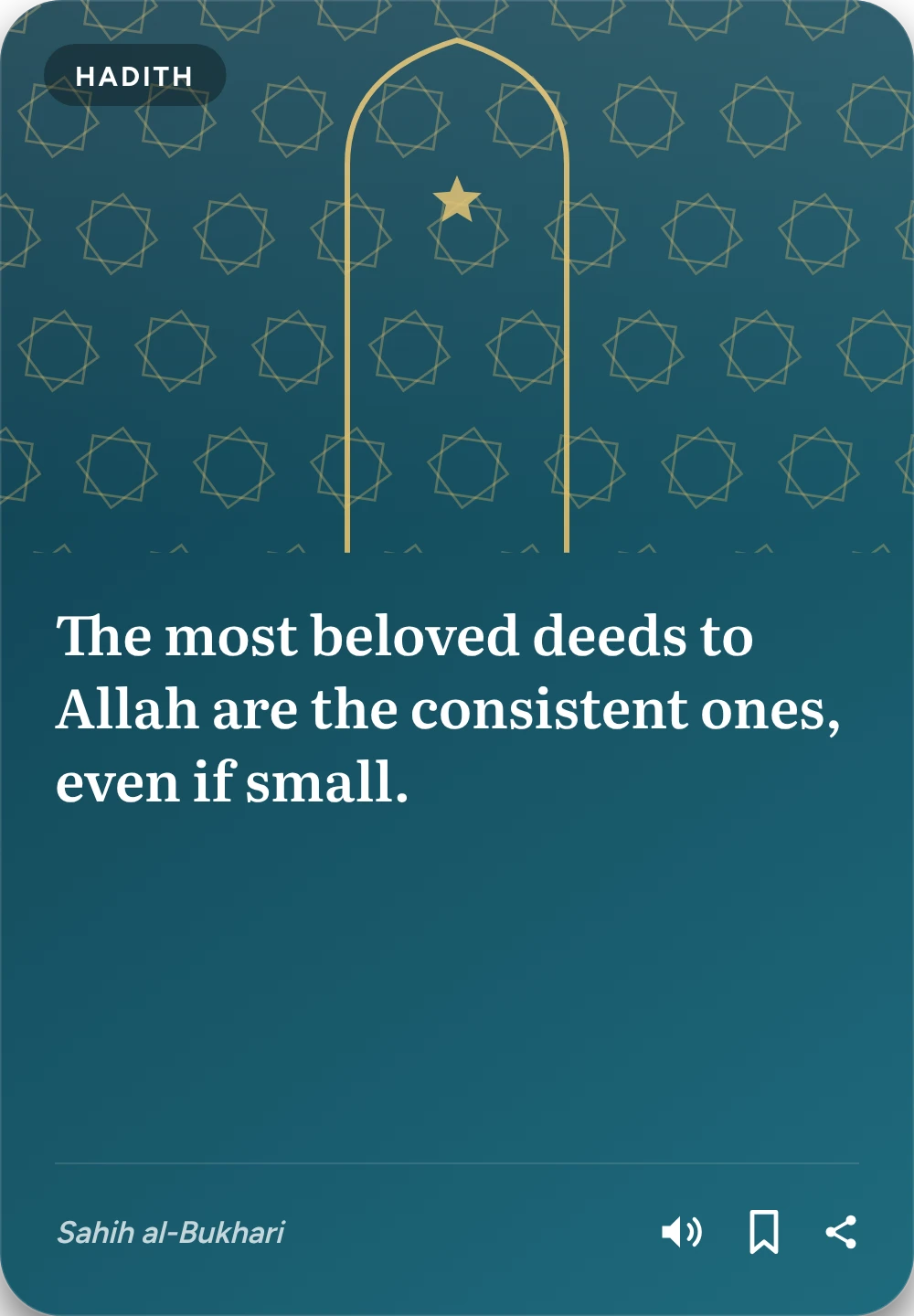
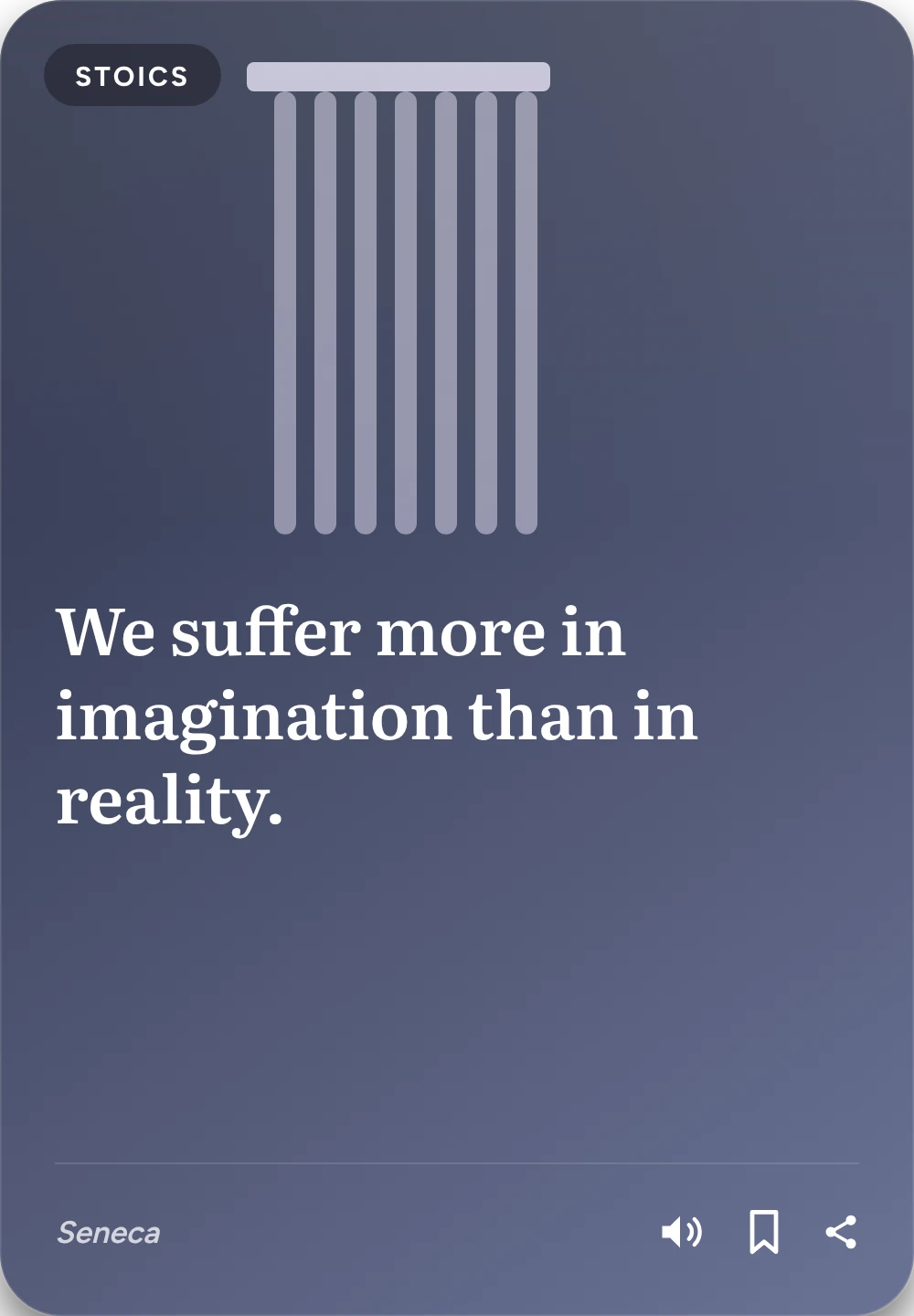
Before bed, flip through five short ideas, like stories. Each is one line and a paragraph, with art, and you can listen to it read aloud.

  • Quran verses with Arabic, hadith and duas for daily life.
  • The best ideas from books like Atomic Habits, Deep Work and The Psychology of Money.
  • Stoic wisdom, study science, money and health basics.
  • A daily goal and a streak to keep you coming back.
GroupsNotes sort themselves by topic, or into groups you name.
Home screen widgetsSee today's tasks and add a new one without opening the app.
Google CalendarYour events sit in your day, and dated notes go to your calendar.
Backup and syncSign in with Google to keep everything safe and use two phones.
Projects and insightsBig goals split into steps, and insights on the hours you get the most done.
বাংলাThe whole app in Bangla, and notes written in Bangla when you want.

Get Denominator

Free, for Android 7 or newer. Version 1.18.0, 23 MB.

Phone won't install it? Try the version for older phones.

Installing

  1. Open this page on your Android phone and tap Download.
  2. Open the downloaded file. If Android asks, allow installing apps from your browser.
  3. Tap Install, then open Denominator.

The app tells you when a new version is out. Updating keeps your notes.

Questions

Is it really free?

Yes. No ads, no subscription. The AI notes use Google Gemini with a free key you get in a minute. The app walks you through it.

Do I need the AI key for everything?

No. Tasks, the brief, Focus, reminders, the Learn feed and saving shared notes all work without it. You only need it for making new notes and for the assistant.

Where does my data go?

It stays on your phone. If you sign in with Google, your tasks and notes are backed up to your own account so you don't lose them. When you make a note, what you shared is sent to Google Gemini to write it. Read the privacy policy.

Why does Focus stop working on my phone?

Some phones close apps in the background to save battery. Denominator notices when this happens and shows the exact setting to change for your phone brand.

Is there an iPhone version?

Not yet. Denominator is Android only for now.